
Problems Receiving Social Media Files
Your social media will be texted to you from 1-877-429-6840.
If you do not get your message, please search for this number. It may have gone to your spam folder. Below are instructions on how to find your spam in the three major text applications.
DO NOT CALL this number as it is for texting only.
If you do not find your text message, please email info@mysantamagic.com and provide your phone number and name and we will get you your social media within 24 hours.
Your social media will be texted to you from
1-877-429-6840.
If you do not get your message, please search for this number. It may have gone to your spam folder. Below are instructions on how to find your spam in the three major text applications.
DO NOT CALL this number as it is for texting only.
If you do not find your text message, please email info@mysantamagic.com and provide your phone number and name and we will get you your social media within 24 hours.
Google Message Spam Directions
- Open: the Messages app.
- Tap your Profile picture or the three-dot menu (top right).
- Select Spam & blocked.
- Here you’ll find all messages flagged as spam.
- Open: the Messages app.
- Tap your Profile picture or the three-dot menu (top right).
- Select Spam & blocked.
- Here you’ll find all messages flagged as spam.
Samsung Messages Spam Directions
- Open: the Messages app.
- Tap the three dots (top right).
- Go to Settings > Block numbers and messages.
- Tap Blocked messages to see filtered texts.
- Open: the Messages app.
- Tap the three dots (top right).
- Go to Settings > Block numbers and messages.
- Tap Blocked messages to see filtered texts.
iPhone Spam Directions
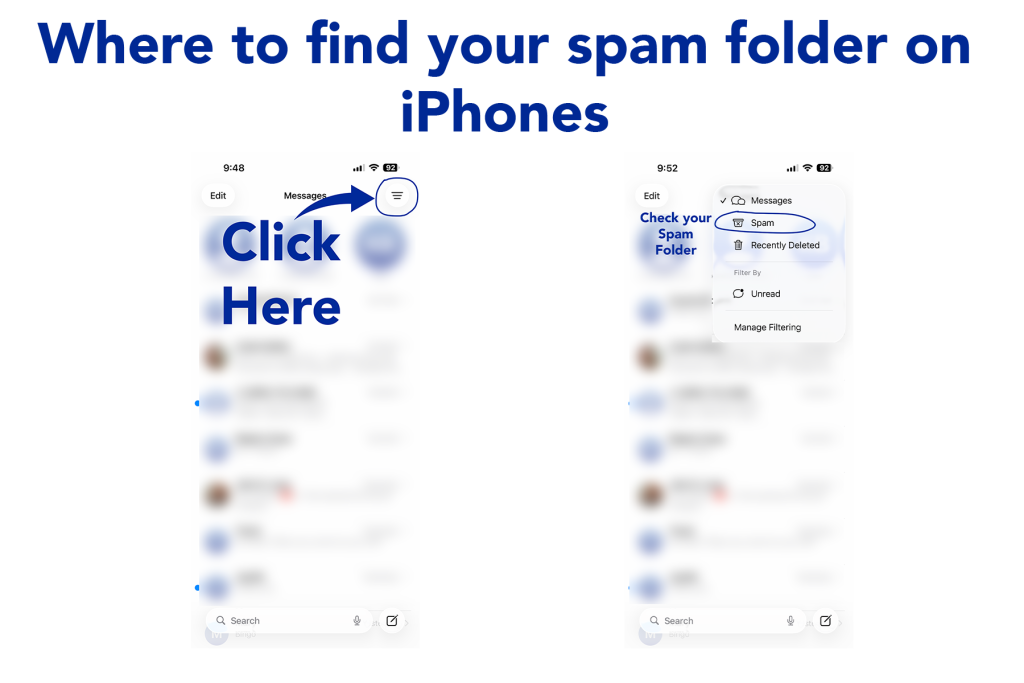

- Go to Settings > Messages.
Scroll down and turn on Filter Unknown Senders (and possibly Filter Spam in newer iOS versions).
- Open the Messages app.
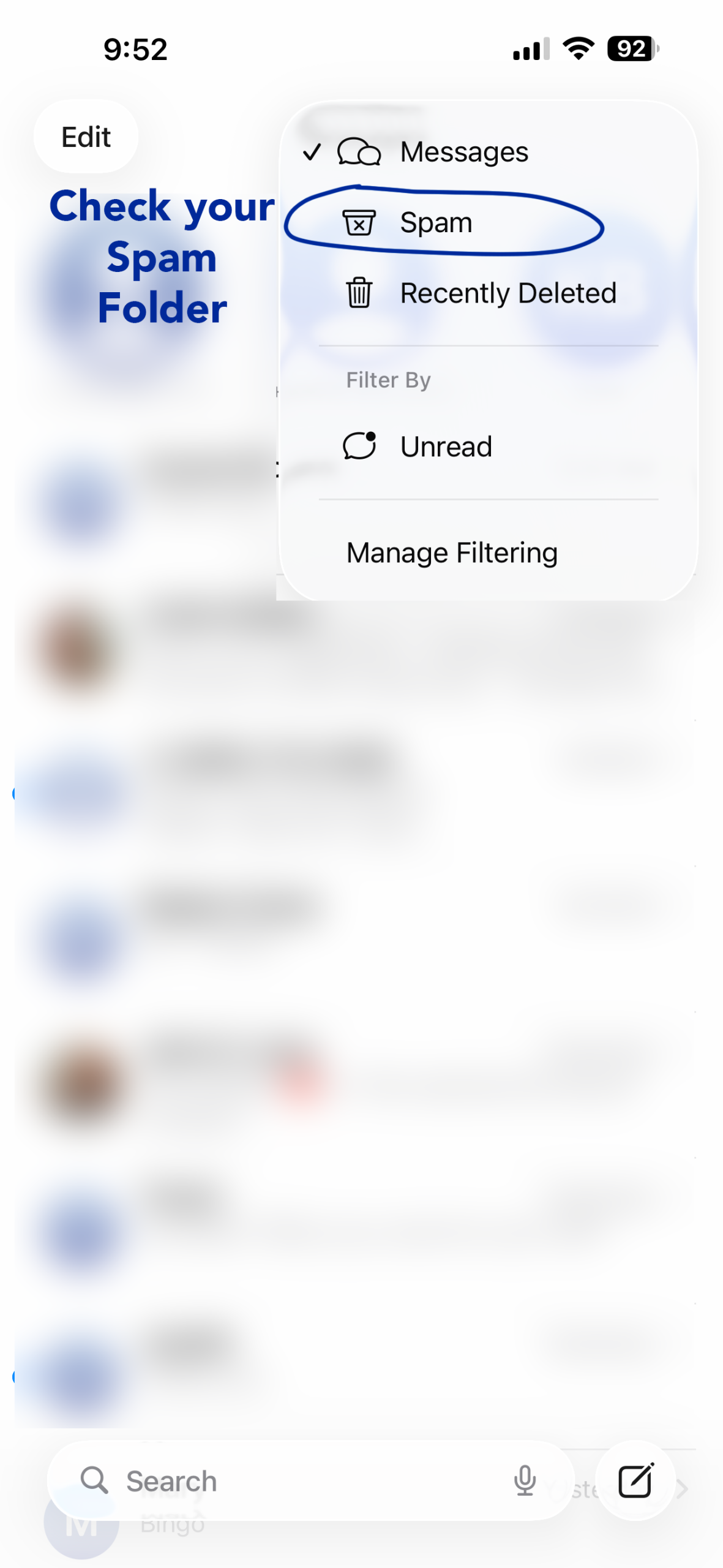
Tap Filters (top-left in older iOS, top-right in iOS 26+).Select Unknown Senders or Spam to view messages sorted out from your main inbox.
- Go to Settings > Messages.
Scroll down and turn on Filter Unknown Senders (and possibly Filter Spam in newer iOS versions).
- Open the Messages app.
Tap Filters (top-left in older iOS, top-right in iOS 26+).Select Unknown Senders or Spam to view messages sorted out from your main inbox.